That Frustrating Setup Phase We All Dread
Hey, imagine kicking off a fresh Next.js venture, only to get bogged down for days tweaking the basics like user logins, language support, access controls, and search engine tweaks. Before you know it, that spark of inspiration has fizzled out amid all the groundwork.
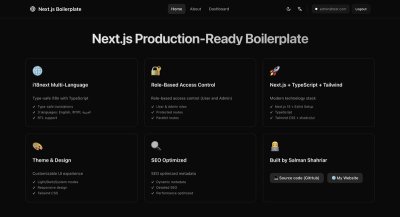
In a nutshell, here's the powerhouse lineup: Secure translations with right-to-left handling → Authentication via NextAuth including Google sign-in → Flexible role-based controls using parallel routing → Full SEO toolkit (including sitemaps, robots files, and manifests) → Built-in dark theme toggle → Linting with ESLint and Prettier → Testing suite featuring Vitest and Playwright → Stylish components from shadcn/ui → Everything tied together in a single config spot. All set for real-world deployment.
I've hit this wall more times than I care to count.
By the time I wrapped up my third software-as-a-service build this year, it dawned on me that I was just recycling the same foundational code snippets repeatedly. That's when I rolled up my sleeves to fix it once and for all.
What Emerged from My Weekend Coding Marathon
Let me introduce you to this robust Next.js foundation I've put together—it's far from a basic skeleton; think of it as a comprehensive launchpad that tackles the tedious essentials, freeing you up to dive straight into the heart of your application's features.
🔗 Check the Live Demo | 📦 Grab the GitHub Repo | 🚀 Start with This Template | Deploy on Vercel
Standing Out from the Crowd of Starters
🌍 Smart Language Handling That Goes Beyond Basics
We're dealing with reliable, error-proof localization that spots issues right during development. Say goodbye to those sneaky production glitches from misspelled keys in your text files.
What sets this apart includes:
- Ready-to-go support for three tongues: English, বাংলা (Bengali), and العربية (Arabic)
- Seamless right-to-left flipping: Arabic interfaces switch directions effortlessly on their own
- Effortless toggling between languages: Just a tap, and it's done without refreshing anything
- Built-in TypeScript safeguards: Your code editor flags any absent translations upfront
// TypeScript knows all your translation keys
t('navigation.home') // ✅ Works
t('navigation.homer') // ❌ Compile error - typo caught!
🔐 Adaptable Permissions System Built for Growth
A lot of guides stop at simple login setups and leave it at that. But how do you handle separate views for regular folks versus admins? Or introduce something like a "supervisor" level down the line?
Leveraging the parallel routing in Next.js 15 made this a breeze:
app/
  (protected)/
    @admin/      # Admin-only views
      dashboard/
    @user/       # User views
      dashboard/
    layout.tsx   # Smart routing logic
This setup intelligently loads the appropriate interface based on who's logged in, keeping your code clean without if-statements cluttering every corner. If you're looking to expand with a...