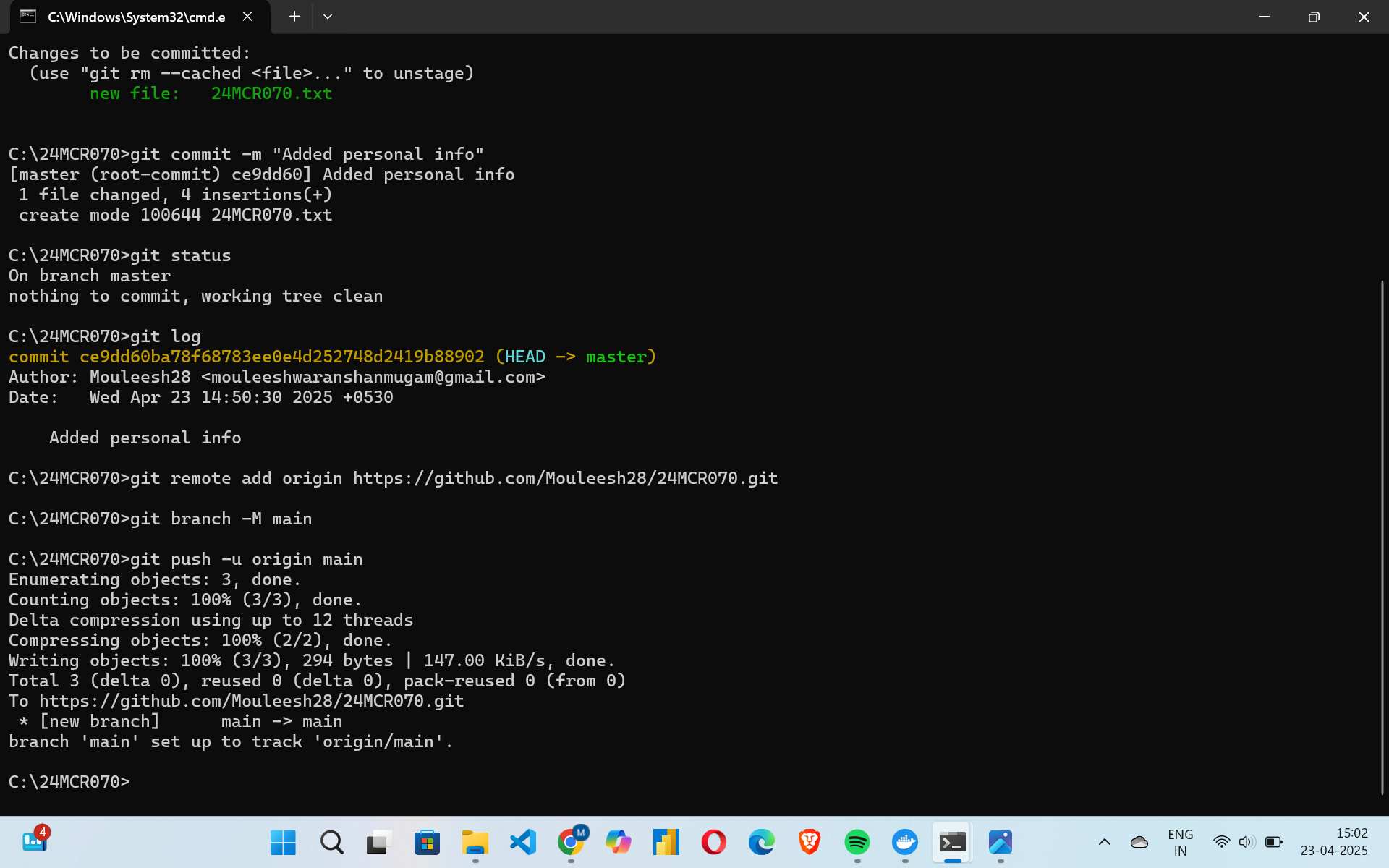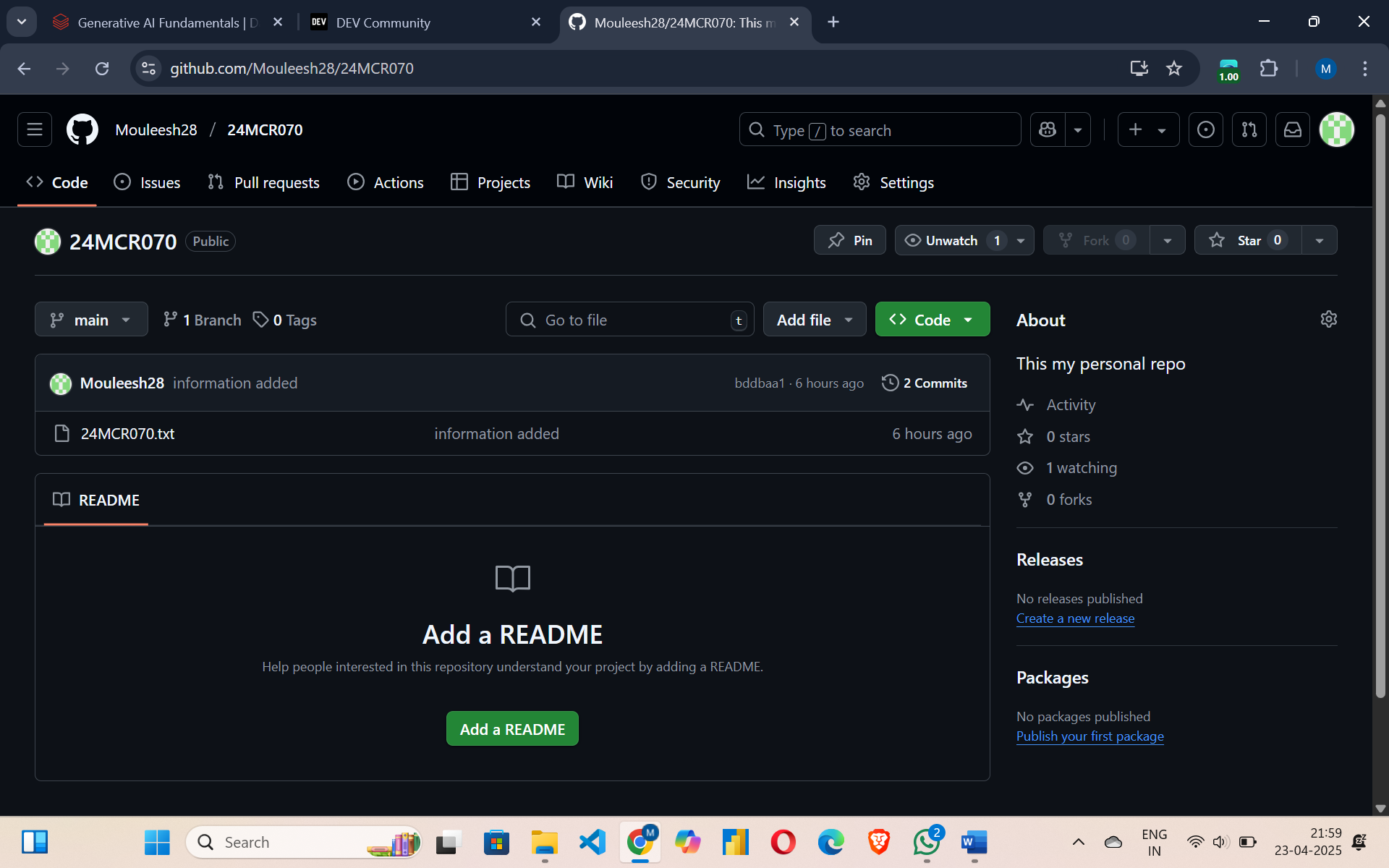
Initialize a Git repository:
git init- Creates a new Git repository in the folder 24MCR070
Add a file to staging area:
git add 24MCR070.txt- Adds 24MCR001.txt to the staging area.
Commit the file:
git commit -m "Added Personal Details"- Creates a commit with the message "Added Personal Details".
Check Git status:
git status- Shows that 24MCR070.txt has been modified but not staged.
View commit log:
git log- Displays the commit history (one commit at this point).
Add remote GitHub repository:
git remote add origin https://github.com/Mouleesh28/24MCR070- Links the local repository to a remote GitHub repo.
Check current branch:
git branch- Shows the current branch is master.
Rename branch from master to main:
git branch -M main- Renames the current branch to main.
Set Git global config for email and
username:
git config --global user.email "[email protected]"

  git config --global user.name "mouleesh28"
Sets your global Git identity.
Push code to remote repo for the first time:
git push -u origin main- Pushes the main branch to GitHub and sets upstream tracking.