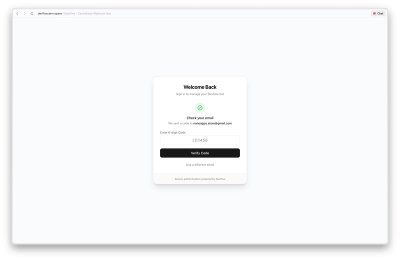
Hey, this one's my entry for the GitHub Copilot CLI Challenge—super excited to share it!
Introducing My Latest Creation
Picture this: I've put together DevFlow, a clever setup that gives you the power to direct GitHub Copilot CLI right on your main dev setup, no matter where you are, just by chatting through Telegram or Slack.
[EMBED]
Facing the Hurdle: These days, AI helpers for coding are incredibly smart, but they're stuck in one spot—you've got to be right there at your computer. If your setup is local and you're out and about, tools like Antigravity or Claude Code are out of reach.
On top of that, even when you jump into a remote server via SSH, you're still typing commands by hand, digging through files, and handling every step yourself.
How I Tackled It: Just set up DevFlow on whatever you're using—your laptop, a virtual machine, or even a cloud server. From there, fire off simple, everyday instructions through Telegram or Slack. It kicks off Copilot CLI right where it needs to be, gets the job done, and keeps you in the loop with updates straight to your conversation.
What Sets This Apart from the Rest: I've tinkered with plenty of AI coding assistants like Trae, Kiro, Antigravity, and Zed—they're fantastic for in-app agents, but they're trapped inside your code editor. Then there's stuff like Gemini CLI and Warp, which break free to the command line for more flexibility, yet they still demand you log in and type away. DevFlow flips the script by letting you skip the terminal altogether.
A Quick Demo in Action:
Try dropping this message into Telegram:
Update the README to reflect the current state of the project
And here's what DevFlow shoots back:
Task created and dispatched to agent-e4425f98. The agent will pick it up shortly. 🚀

🔄 Update: update README
⏳ Starting feature implementation workflow
[▪▪▪▪▪▪▪▪▪▪] 3%
Behind the scenes, on your device, Copilot CLI dives into the project files, tweaks the README as requested, and seals the deal with a commit. All the while, you're getting live notifications in your chat window.
Standout Capabilities:
- 🤖 Smart Copilot Handling: Leverages GitHub Copilot CLI and its SDK to tackle coding jobs with real insight
- 🔒 Everything Stays Put: Your code doesn't budge from the local environment— the whole process happens right there
- 📱 Conversation-Driven Control: Pop in directives through Telegram or Slack using tags like
!fix,!feature,!explain, or!review-pr - ⚡ Instant Feedback Loop: Get ongoing status reports flowing back to your messaging app
- 🔐 Built for Safety: Protected logins, tailored access levels, and zero risk of code leaking out
Under the Hood Tech:
- GitHub Copilot CLI & SDK (
@github/copilot-sdk) - Next.js for the online side, plus Node.js with TypeScript powering the agent command line
- APIs from Telegram Bot, Slack, and GitHub
- Monorepo:
apps/...